admin
admin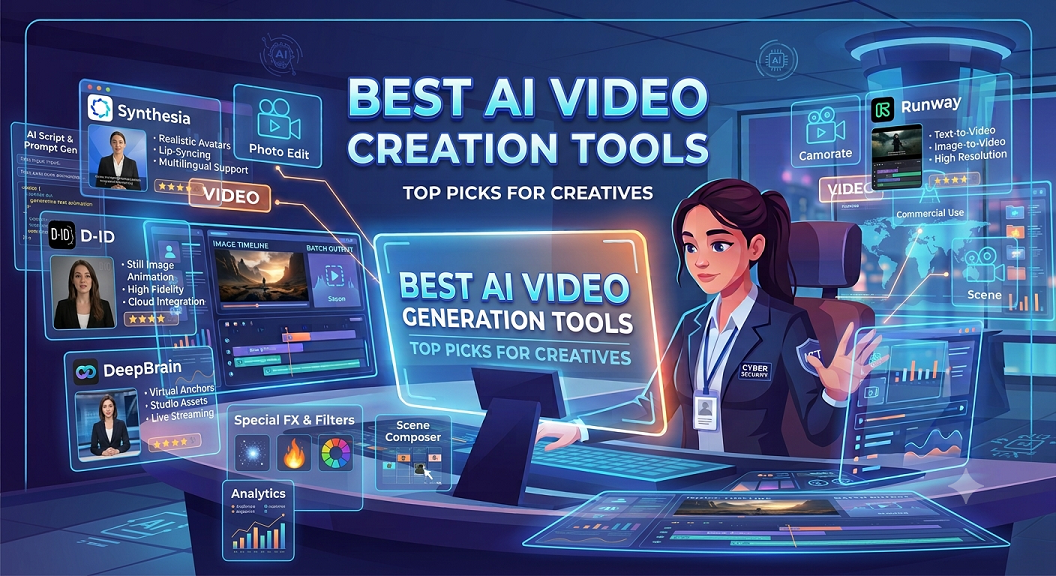
5 Best AI Video Creation Tools for Content Creators in 2026
Artificial Intelligence is transforming video production by allowing creators, marketers, businesses, educators, and developers to generate professional-quality videos in minutes instead of days. Modern AI video tools can generate marketing videos, social media reels, explainer videos, educational tutorials, product demonstrations, advertisements, and training materials using simple text prompts.
Below are the five best AI video creation tools for content creators, marketers, businesses, educators, and developers in 2026, carefully selected based on video quality, ease of use, AI capabilities, editing features, and commercial applications:
1. OpenAI Sora
Best for:
- Cinematic videos
- Product advertisements
- Marketing campaigns
- Storytelling content
- Commercial video production
Key Features:
- Text-to-video generation
- High realism
- Complex scene generation
- Professional quality output
Ideal for:
Businesses, agencies, filmmakers, and professional creators.
2. Google Veo
Best for:
- Marketing videos
- Educational content
- Product demonstrations
- YouTube content creation
Key Features:
- High-quality video generation
- Natural movement and physics
- Integration with Google’s AI ecosystem
Ideal for:
Businesses, educators, marketers, and creators.
3. Runway
Best for:
- AI video editing
- Background replacement
- Video generation
- Motion graphics
Key Features:
- Video-to-video transformation
- AI editing tools
- Professional workflows
Ideal for:
Video editors, agencies, and content creators.
4. Synthesia
Best for:
- Corporate training videos
- AI avatars
- Business presentations
- E-learning content
Key Features:
- AI presenters
- Multiple languages
- Voice cloning capabilities
Ideal for:
Businesses, HR teams, and educational institutions.
5. Pika
Best for:
- Social media videos
- Short-form content
- Creative storytelling
- Animated content
Key Features:
- Fast video generation
- User-friendly interface
- Excellent for creators
Ideal for:
YouTubers, TikTok creators, and social media managers.
AI Video Tools Comparison Table
| Tool | Text-to-Video | AI Avatars | Video Editing | Commercial Use | Best For |
|---|---|---|---|---|---|
| OpenAI Sora | Excellent | No | Good | Yes | Cinematic production |
| Google Veo | Excellent | No | Good | Yes | Marketing and education |
| Runway | Excellent | No | Excellent | Yes | Editing workflows |
| Synthesia | Good | Excellent | Moderate | Yes | Training videos |
| Pika | Excellent | No | Good | Yes | Social media content |
How to Create Videos Using AI Tools: A Complete Guide
Step 1: Define Your Goal
Decide whether your video is intended for:
- YouTube
- TikTok
- Instagram Reels
- Product marketing
- Business presentations
- Training and education
Step 2: Write Your Script
Professional AI videos start with a strong script that includes:
- Hook
- Main message
- Supporting points
- Call to action
Step 3: Select the Right AI Tool
Choose a platform based on your objectives:
- Cinematic content
- Avatar presentations
- Product demonstrations
- Social media videos
Step 4: Create a Detailed Prompt
Example:
“Create a 30-second promotional video showing a futuristic cybersecurity operations center using AI-powered threat detection systems, cinematic camera movement, professional lighting, and realistic visuals suitable for a technology company advertisement.”
Step 5: Generate Multiple Versions
Professional creators often generate several versions and select the best result.
Step 6: Edit and Improve
Enhance:
- Transitions
- Music
- Captions
- Branding
- Voiceovers
Step 7: Optimize for Each Platform
Recommended dimensions:
- YouTube: 16:9
- Instagram Reels: 9:16
- TikTok: 9:16
- LinkedIn: 16:9
- Facebook: 1:1 or 16:9
Step 8: Add Captions and Subtitles
Captions improve:
- Accessibility
- Engagement
- Watch time
- SEO performance
Step 9: Export in High Quality
Recommended formats:
- MP4
- H.264 codec
- 1080p or 4K resolution
Step 10: Measure Performance
Track:
- Watch time
- Engagement
- Click-through rates
- Conversion rates
- Audience retention
Final Thoughts
AI video generation is rapidly becoming an essential technology for content creators, businesses, agencies, educators, and developers.
Organizations that combine effective scripting, prompt engineering, and AI-powered editing can dramatically reduce production costs while increasing content output and audience engagement.