admin
admin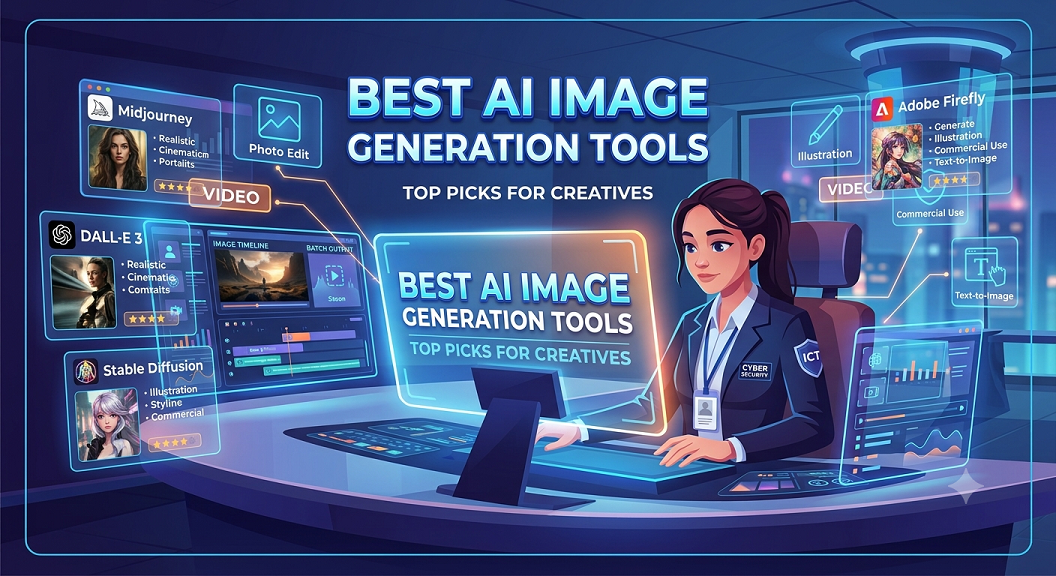
10 Best AI Image Generation Tools and How to Create Images with AI: A Complete Step-by-Step Guide
Artificial Intelligence image generation has become one of the fastest-growing technologies in digital creativity, allowing businesses, marketers, designers, developers, bloggers, and content creators to generate professional images in seconds without traditional graphic design skills. Modern AI image tools can create marketing banners, social media graphics, website illustrations, product mockups, concept art, advertisements, logos, presentation graphics, educational diagrams, and photorealistic images simply from text prompts.
This guide explores the best AI image generators available in 2026 and explains how to create professional AI images using industry best practices.
Part 1: 10 Best AI Image Generation Tools in 2026
1. ChatGPT Image Generation
Best for:
- Marketing graphics
- Blog illustrations
- Social media content
- Website images
- Product mockups
- Business presentations
Strengths:
- Excellent prompt understanding
- High-quality image generation
- Strong image editing capabilities
- Supports style transformations and image modifications
Ideal users:
Businesses, marketers, bloggers, agencies, and startups.
2. Google Gemini Image Generation
Best for:
- Educational graphics
- Research illustrations
- Business presentations
- Infographics
- Content marketing
Strengths:
- Deep integration with Google’s ecosystem
- Strong contextual understanding
- Excellent productivity workflows
Ideal users:
Developers, educators, marketers, and enterprise teams.
3. Midjourney
Best for:
- Artistic illustrations
- Cinematic artwork
- Fantasy concepts
- Branding visuals
Strengths:
- Industry-leading artistic quality
- Exceptional creative outputs
- Popular among designers and agencies
Ideal users:
Artists, designers, studios, and creative professionals.
4. Adobe Firefly
Best for:
- Commercial design projects
- Advertising creatives
- Brand assets
- Photoshop workflows
Strengths:
- Commercially safe content generation
- Native Adobe integration
Ideal users:
Professional designers and enterprises.
5. Leonardo AI
Best for:
- Gaming assets
- Character design
- Product visualization
- Concept art
Strengths:
- Highly customizable generation models
- Fine-tuning capabilities
Ideal users:
Game developers and creative studios.
6. Ideogram
Best for:
- Posters
- Typography
- Logo concepts
- Text-heavy designs
Strengths:
- Excellent text rendering inside images.
Ideal users:
Branding agencies and marketers.
7. Stable Diffusion
Best for:
- Open-source projects
- Custom AI model training
- Enterprise deployment
Strengths:
- Full customization
- Self-hosting capabilities
Ideal users:
Developers and researchers.
8. Canva AI Image Generator
Best for:
- Social media graphics
- Marketing materials
- Business presentations
Strengths:
- Beginner-friendly interface
- Integrated design tools
Ideal users:
Small businesses and content creators.
9. Microsoft Designer AI
Best for:
- Social media content
- Advertising materials
- Marketing campaigns
Strengths:
- Easy-to-use workflow
- Strong Microsoft ecosystem integration
Ideal users:
Business users and marketers.
10. Flux AI
Best for:
- Photorealistic images
- Commercial projects
- Advanced AI workflows
Strengths:
- High realism
- Fast generation speed
Ideal users:
Professional creators and developers.
Comparison Table of AI Image Tools
| Tool | Photorealism | Text Accuracy | Editing Features | Commercial Use | Best For |
|---|---|---|---|---|---|
| ChatGPT | Excellent | Excellent | Excellent | Yes | Business and marketing |
| Google Gemini | Excellent | Good | Good | Yes | Productivity and education |
| Midjourney | Outstanding | Moderate | Moderate | Yes | Artistic work |
| Adobe Firefly | Excellent | Good | Excellent | Excellent | Enterprise design |
| Leonardo AI | Excellent | Good | Good | Yes | Gaming and concepts |
| Ideogram | Good | Outstanding | Moderate | Yes | Typography |
| Stable Diffusion | Excellent | Moderate | Excellent | Yes | Developers |
| Canva AI | Good | Good | Good | Yes | Social media |
| Microsoft Designer | Good | Good | Good | Yes | Marketing |
| Flux AI | Excellent | Good | Good | Yes | Photorealistic generation |
Part 2: How to Create Images with AI Tools — Step-by-Step Guide
Step 1: Choose Your AI Tool
Select the tool that matches your objective:
- Marketing graphics
- Website banners
- Product images
- Blog illustrations
- Social media posts
- Advertising creatives
Step 2: Define Your Objective
Before generating an image, answer these questions:
- Who is the audience?
- What is the image purpose?
- Which platform will use it?
- What dimensions are required?
- Which style should be used?
Step 3: Write an Effective Prompt
Poor prompt:
“Create a cybersecurity image.”
Professional prompt:
“Create a futuristic cybersecurity operations center with AI-powered threat detection dashboards, blue neon lighting, multiple monitors displaying security analytics, ultra-realistic style, suitable for a business technology website hero section.”
Step 4: Include Important Prompt Details
Professional prompts include:
- Subject
- Environment
- Style
- Lighting
- Camera angle
- Colors
- Resolution
- Intended use
Example:
“Modern office environment with cybersecurity analysts monitoring AI-powered threat intelligence dashboards, realistic photography style, 4K quality, professional business atmosphere.”
Step 5: Select Image Dimensions
Common image sizes:
- Website hero image: 1920×1080
- Blog featured image: 1200×630
- Facebook post: 1200×630
- Instagram post: 1080×1080
- LinkedIn post: 1200×627
- YouTube thumbnail: 1280×720
Step 6: Generate Multiple Variations
Professional designers rarely use the first result.
Generate:
- 4 to 10 variations
- Multiple camera angles
- Different lighting styles
- Various compositions
Step 7: Edit and Refine
Improve your image by adjusting:
- Background
- Lighting
- Facial details
- Text placement
- Branding elements
Step 8: Upscale for Production Use
Use AI upscaling to improve:
- Resolution
- Sharpness
- Print quality
Step 9: Verify Commercial Usage Rights
Always review:
- Licensing terms
- Commercial usage permissions
- Copyright restrictions
This is especially important for businesses, agencies, and advertisers.
Step 10: Optimize for SEO
For website images:
- Use descriptive filenames.
- Add alt text.
- Compress images for faster loading.
- Use modern image formats.
Example file name:
ai-cybersecurity-threat-detection-dashboard.webp
Example alt text:
AI-powered cybersecurity monitoring dashboard for enterprise threat detection.
Professional AI Prompt Formula
Subject + Environment + Style + Lighting + Camera Angle + Quality + Intended Use
Example:
“Modern African fintech startup office with AI-powered analytics dashboard, realistic photography, natural lighting, wide-angle shot, ultra-high resolution, designed for a corporate website homepage.”
Final Thoughts
AI image generation is no longer just a creative experiment. It has become an essential business technology for marketers, developers, agencies, educators, e-commerce businesses, startups, and enterprises.
Organizations that learn how to combine effective prompting, strategic image planning, and AI-assisted creativity will dramatically reduce design costs while increasing production speed and marketing effectiveness.