
 admin
admin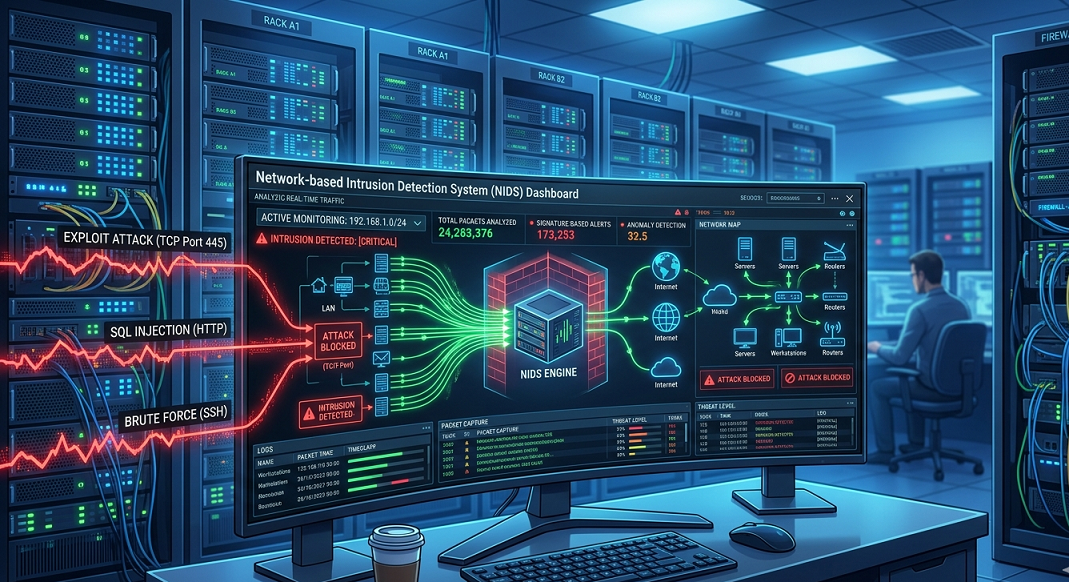
🔰 Introduction: Best Network-Based Intrusion Detection Systems (NIDS)
A Network-Based Intrusion Detection System (NIDS) is a cybersecurity solution designed to monitor network traffic in real time and detect suspicious or malicious activity before it can cause harm. Unlike host-based systems that focus on individual devices, NIDS analyzes data packets moving across an entire network to identify threats such as unauthorized access attempts, malware communication, port scanning, and abnormal traffic behavior. In modern cybersecurity environments, attackers continuously exploit network vulnerabilities to gain unauthorized access or disrupt systems. This makes NIDS an essential layer of defense for organizations, helping security teams detect threats early and respond before damage occurs. When combined with Host-Based Intrusion Detection Systems (HIDS), NIDS provides a stronger and more complete security posture for both small and large networks.
🧠 Types of Intrusion Detection Systems (IDS)
Intrusion Detection Systems are generally classified into two main categories:
1. Host-Based Intrusion Detection System (HIDS)
HIDS is installed on individual computers or servers. It monitors system-level activities such as file changes, login attempts, and process execution.
Key Functions:
- Monitors internal system activity
- Detects unauthorized file modifications
- Tracks user and application behavior
- Protects individual endpoints
2. Network-Based Intrusion Detection System (NIDS)
NIDS monitors traffic flowing across the entire network by analyzing data packets in real time.
Key Functions:
- Provides centralized security monitoring
- Inspects incoming and outgoing network traffic
- Detects suspicious packet behavior
- Identifies network-wide attacks (DDoS, scanning, spoofing)
Below is the list of the best premium and free trial versions of NIDS tools:
1. SolarWinds Security Event Manager
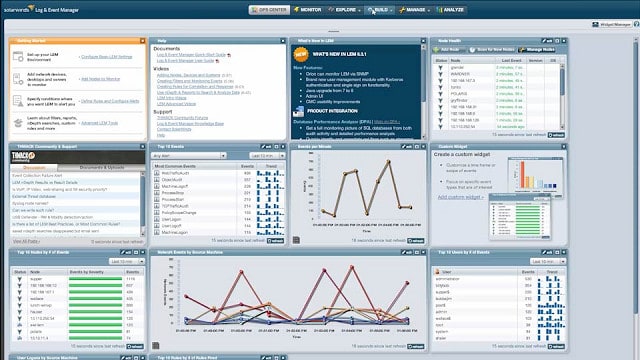
The SolarWinds Security Event Manager is mainly a HIDS package, but you can use NIDS functions with this tool as well. The tool can be used as an analytical utility to process data collected by Snort. You can read more about Snort below. Snort can capture traffic data that you can view through the 1. Event Manager.
The combination of NIDS and HIDS makes this a really powerful security tool. The NIDS section of the Security Event Manager includes a rule base, called event correlation rules, that will spot activity anomalies that indicate an intrusion. The tool can be set to automatically implement workflows on the detection of an intrusion warning. These actions are called Active Responses. The actions that you can get automatically launched on the detection of an anomaly include: stopping or launching processes and services, suspension of user accounts, blocking of IP addresses, and notification sending by email, SNMP message, or screen record. Active responses make the SolarWinds Security Event Manager into an intrusion prevention system.
This is the top-of-the-line IDS available on the market today and it is not free. The software will only run on the Windows Server operating system, but it can collect data from Linux, Unix, and Mac OS as well as Windows. You can get the SolarWinds Security Event Manager on a 30-day free trial.
2. Snort
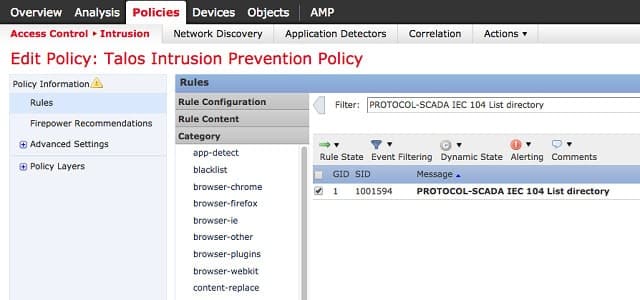
Snort, owned by Cisco Systems, is an open-source project and is free to use. This is the leading NIDS today and many other network analysis tools have been written to use its output. The software can be installed on Windows, Linux, and Unix.
This is actually a packet sniffer system that will collect copies of network traffic for analysis. The tool has other modes, however, and one of those is intrusion detection. When in intrusion detection mode, Snort applies “base policies,” which is the detection rule base of the tool.
Base policies make Snort flexible, extendable, and adaptable. You need to fine-tune the policies to suit your network’s typical activities and reduce the incidences of “false positives.” You can write your own base policies, but you don’t have to because you can download a pack from the Snort website. There is a very large user community for Snort and those users communicate through a forum. Expert users make their own tips and refinements available to others for free. You can also pick up more base policies from the community for free. As there are so many people using Snort, there are always new ideas and new base policies that you can find in the forums.
3. Bro
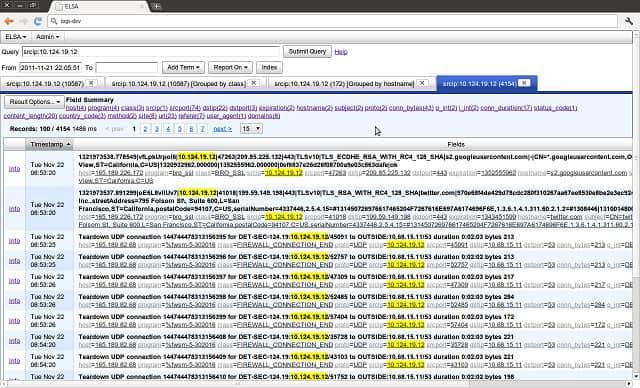
Bro is a NIDS, like Snort, however, it has a major advantage over the Snort system – this tool operates in the Application Layer. This free NIDS is widely preferred by the scientific and academic communities.
This is both a signature-based system and it also uses anomaly-based detection methods. It can spot bit-level patterns that indicate malicious activity across packets.
The detection process is handled in two phases. The first of these is managed by the Bro Event Engine. As data is assessed at a higher than packet level, analysis cannot be performed instantly. There has to be a level of buffering so that sufficient packets can be assessed together. So, Bro is a little slower than a typical packet-level NIDS but still identifies malicious activity quicker than a HIDS. Collected data is assessed by d by policy scripts, which is the second phase of the detection process.
It is possible to set up remediation actions to be triggered automatically by a policy script. This makes Bro an intrusion prevention system. The software can be installed on Unix, Linux, and Mac OS.
4. Suricata
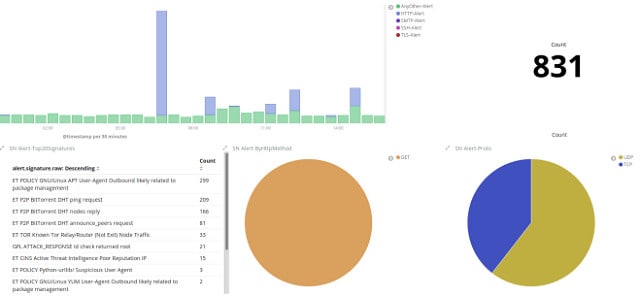 so a NIDS that So a NIDS that Application Layer, giving it multi-packet visibility. This is a free tool that has very similar capabilities to those of Bro. Although these signature-based detection systems work at the Application level, they still have access to packet details, which lets the processing program get protocol-level information out of packet headers. This includes data encryption, Transport Layer, and Internet Layer data.
This IDS also employs anomaly-based detection methods. Apart from packet data, Suricata can examine TLS certificates, HTTP requests, and DNS transactions. The tool is also able to extract segments from files at bit level for virus detection.
Suricata is one of the many tools that are compatible with the Snort data structure. It can implement Snort base policies. A big extra benefit of this compatibility is that the Snort community can also give you tips on tricks to use with Suricata. Other Snort-compatible tools can also integrate with Suricata. These include Snorby, Anaval, BASE, and Squil.
5. IBM QRadar
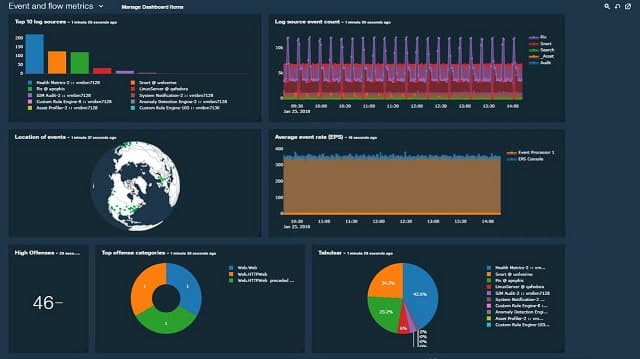
This IBM SIEM tool is not free, but you can get a 14-day free trial. This is a Cloud-based service, so it can be accessed from anywhere. The system covers all aspects of intrusion detection, including the log-centered activities of a HIDS as well as the examination of live traffic data, which also makes this a NIDS. The network infrastructure that QRadar can monitor extends to Cloud services. The detection policies that highlight possible intrusion are built into the package.
A very nice feature of this tool is an attack modeling utility that helps you test your system for vulnerabilities. IBM QRadar employs AI to ease anomaly-based intrusion detection and has a very comprehensive dashboard that integrates data and event visualizations. If you don’t want to use the service in the Cloud, you can opt for an on-premises version that runs on Windows.
6. Security Onion
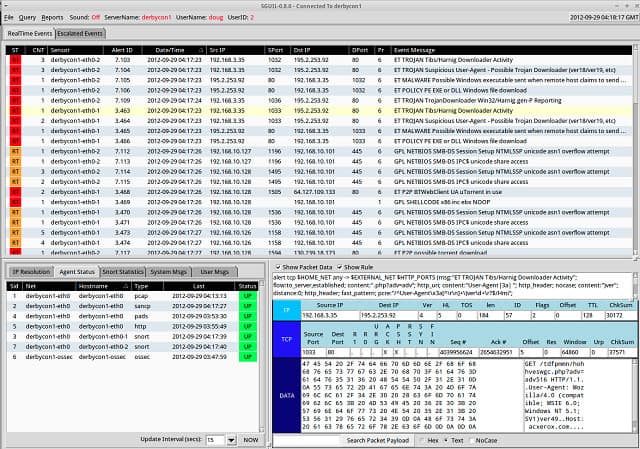
If you want an IDS to run on Linux, the free NIDS/HIDS package of Security Onion is a very good option. This is an open-source project and is community-supported. The software for this tool runs on Ubuntu and was drawn in from other network analysis utilities. A number of the other tools listed in this guide are integrated into the Security Onion package: Snort, Bro, and Suricata. HIDS functionality is provided by OSSEC and the front end is the Kibana system. Other well-known network monitoring tools that are included in Security Onion include ELSA, NetworkMiner, Snorby, Squert, Squil, and Xplico.
The utility includes a wide range of analysis tools and uses both signature and anomaly-based techniques. Although the reuse of existing tools means that Security Onion benefits from the established reputation of its components, updates to elements in the package can be complicated.
7. Open WIPS-NG
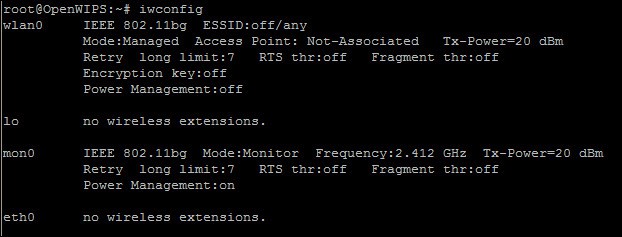
Open WIPS-NG is an open-source project that helps you to monitor wireless networks. The tool can be used as a straightforward wifi packet sniffer or as an intrusion detection system. The utility was developed by the same team that created Aircrack-NG – a very famous network intrusion tool used by hackers. So, while you are using Open WIPS-NG to defend your network, the hackers that you spot will be harvesting your wireless signals with its sister package.
This is a free tool that installs on Linux. The software package includes three components. These are a sensor, a server, and an interface. Open WIPS-NG offers a number of remediation tools, so the sensor acts as your interface to the wireless transceiver both to collect data and to send out commands.
8. Sagan
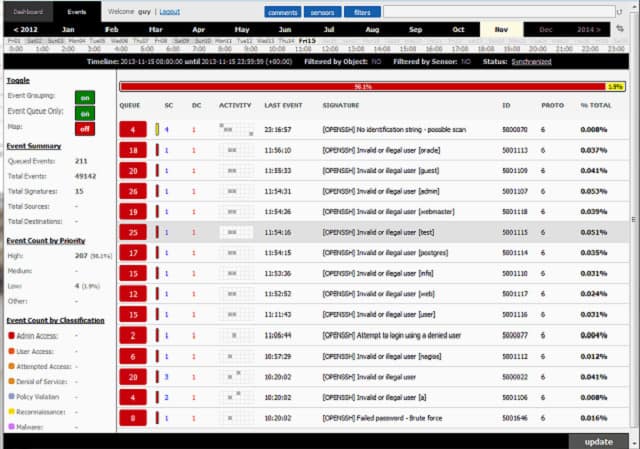
Sagan is a HIDS. However, with the addition of a data feed from Snort, it can also act as a NIDS. Alternatively, you can use Bro or Suricata to collect live data for Sagan. This free tool can be installed on Unix and Unix-like operating systems, which means that it will run on Linux and Mac OS, but not on Windows. However, it can process Windows event log messages. The tool is also compatible with Anaval, BASE, Snorby, and Squil.
Useful extras built into Sagan include distributed processing and an IP address geolocator. This is a good idea because hackers often use a range of IP addresses for intrusion attacks, but overlook the fact that the common location of those addresses tells a tale. Sagan can execute scripts to automate attack remediation, which includes the ability to interact with other utilities such as firewall tables and directory services. These abilities make it an intrusion prevention system.
9. Splunk
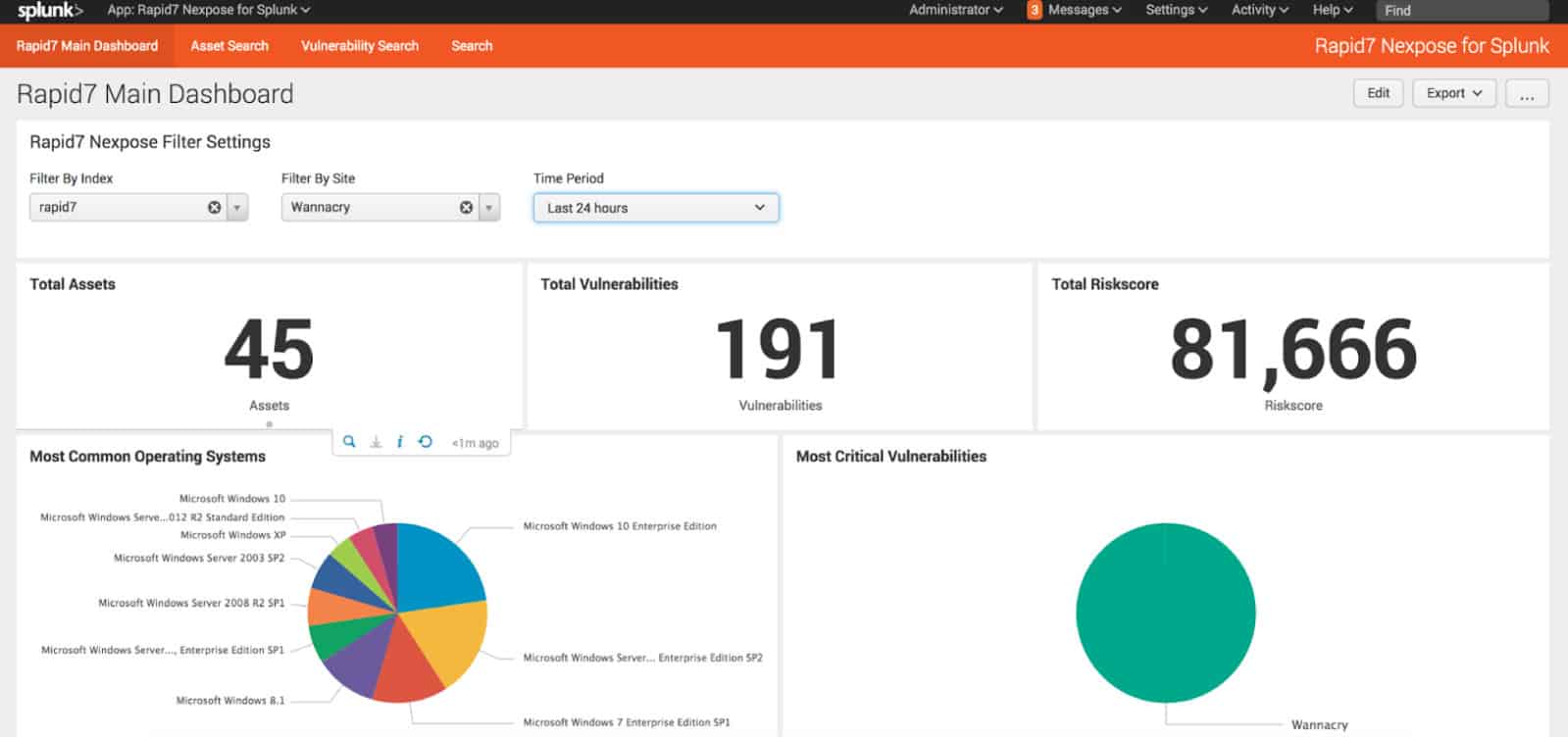
Splunk is a popular network traffic analyzer that also has NIDS and HIDS capabilities. The tool can be installed on Windows and on Linux. The utility is available in three Editions. These are Splunk Free, Splunk Light, Splunk Enterprise, and Splunk Cloud. You can get a 15-day trial to the Cloud-based version of the tool and a 60-day free trial of Splunk Enterprise. Splunk Light is available on a 30-day free trial. All of these versions include data collection abilities and anomaly detection.
Security features of Splunk can be enhanced with an add-on, called Splunk Enterprise Security. This is available on a 7-day free trial. This tool enhances the accuracy of anomaly detection and reduces the incidences of false positives through the use of AI. The extent of alerting can be adjusted by warning severity level to prevent your system administration team getting swamped by an overzealous reporting module.
Splunk integrates log file reference, to enable you to get a historical perspective on events. You can spot patterns in attacks and intrusion activity by looking at the frequency of malicious activity over time.
⚖️ Comparison: HIDS vs NIDS
| Feature | HIDS (Host-Based IDS) | NIDS (Network-Based IDS) |
|---|---|---|
| Scope | Individual device | Entire network |
| Monitoring | System files & processes | Network traffic |
| Detection Focus | Internal threats | External & network attacks |
| Installation | Installed on each host | Installed at network level |
| Best Use | Endpoint protection | Network-wide security |
👉 Best Practice: Both HIDS and NIDS should be used together for complete protection.
🔐 Security Tips for Intrusion Detection Systems
- Always deploy HIDS before implementing NIDS for full system visibility
- Keep IDS signatures and rules updated regularly
- Combine IDS with firewalls for layered security
- Monitor alerts and logs consistently
- Segment your network to reduce attack spread
- Use encryption to protect sensitive network traffic
- Conduct regular vulnerability assessments
🧾 Final Thoughts: Complete Cybersecurity Guide
A strong cybersecurity strategy requires more than just one layer of protection. While HIDS secures individual systems, NIDS protects the entire network infrastructure, making them a powerful combination for detecting and preventing cyber threats.
Implementing both systems ensures early threat detection, improved response time, and stronger defense against modern cyberattacks such as malware propagation, unauthorized access, and network intrusions. For maximum security, organizations should adopt a layered cybersecurity approach that includes IDS, firewalls, antivirus solutions, and continuous network monitoring.
Follow Us
Stay connected with us on social media to receive updates on our latest posts.
Follow us on: Facebook | Instagram



)
)