
 admin
admin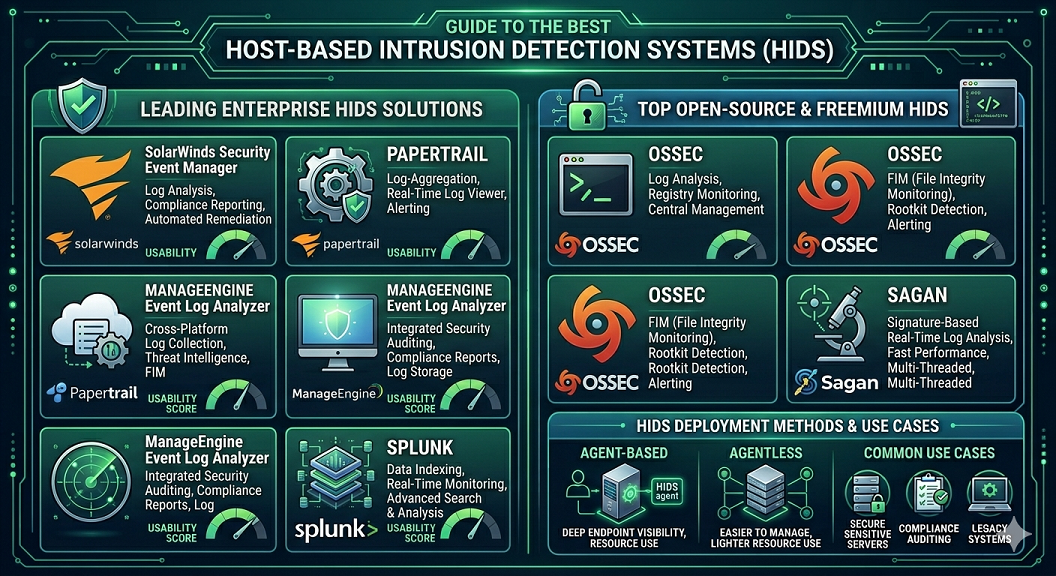
🔰 Introduction: Best Host-Based Intrusion Detection Systems (HIDS)
A Host-Based Intrusion Detection System (HIDS) is a cybersecurity solution that monitors and analyzes activities on individual computers or servers in real time. Unlike network-based systems that focus on traffic flowing across a network, HIDS works directly on a single host, examining system logs, file changes, running processes, and user activities to detect suspicious or malicious behavior. In modern cybersecurity environments, attackers often target endpoints first because they are the easiest entry point into a network. This makes HIDS a critical layer of defense, helping organizations detect unauthorized access, malware infections, privilege escalation, and system tampering at the device level. When properly deployed across all endpoints, HIDS provides deep visibility into internal system activities and strengthens overall cybersecurity resilience.
🧠 Types of Host-Based Intrusion Detection Systems (HIDS)
HIDS solutions can be categorized based on how they monitor and analyze system activity:
1. Log-Based HIDS
This type monitors system and application logs to detect unusual or unauthorized activity.
Key Functions:
- Analyzes security logs and event logs
- Detects login failures and suspicious access attempts
- Identifies abnormal system behavior patterns
2. File Integrity Monitoring (FIM) HIDS
FIM-based HIDS focuses on monitoring critical system files for unauthorized changes.
Key Functions:
- Tracks changes in system files and configurations
- Alerts when important files are modified or deleted
- Detects tampering by malware or attackers
3. Application-Based HIDS
This type monitors specific applications running on a host for suspicious behavior.
Key Functions:
- Tracks application-level activity
- Detects abnormal program execution
- Identifies malicious scripts or injected code
4. Kernel-Level HIDS
Kernel-level HIDS operates at the core of the operating system for deeper monitoring.
Key Functions:
- Monitors system calls and kernel activities
- Detects rootkits and advanced persistent threats
- Provides low-level system visibility
Below is the list of the best premium and free trial versions of HIDS tools:
1. SolarWinds Security Event Manager
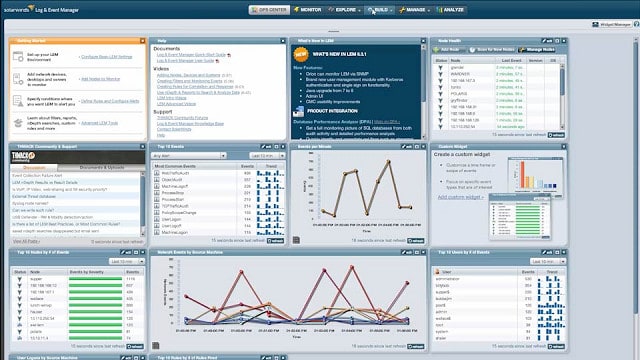
SolarWinds has created a HIDS that has automated remediation capabilities, making this an intrusion prevention system, the Security Event Manager. The tool includes compliance audit reports to help you keep on track with PCI DSS, SOX, HIPAA, ISO, NCUA, FISMA, FERPA, GLBA, NERC CIP, GPG13, and DISA STIG.
Log file protection features that are built into this utility include encryption in transit and storage and folder and file checksum monitoring. You can forward log messages and backup or archive entire folders and files. So, the log file management and integrity features of this tool are exceptional.
The tool will constantly monitor your log files, including those that are still open for new records. You don’t have to issue queries manually, because the Security Event Manager will raise alerts automatically whenever a warning condition is detected. There is also an analysis tool within the package that enables you to perform manual checks on data integrity and spot intrusion with a human eye.
Although this software will only install on Windows Server, it will collect log data from other operating systems, including Linux and Unix. You can get a 30-day free trial of the SolarWinds Security Event Manager.
2. Papertrail
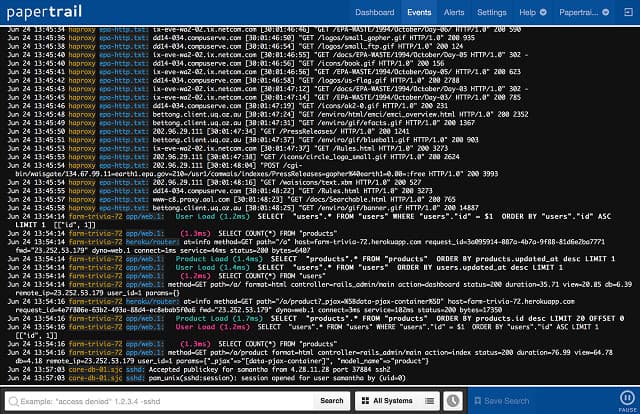
SolarWinds runs a Cloud-based log management service, called Papertrail. This is a log aggregator that centralizes your log file storage. Papertrail can manage Windows event logs, Syslog messages, Apache server log files, Ruby on Rails program messages, and router and firewall notifications. Messages can be viewed live in the system dashboard as they travel to log files. As well as managing log files, the tool includes analytical support utilities.
Log data is encrypted both in transit and at rest, and access to log files is guarded by authentication. Your files are stored on the Papertrail server, and SolarWinds handles backups and archiving, so you can save money on purchasing, managing, and maintaining file servers.
Papertrail employs both anomaly and signature-based detection methods, and you benefit from policy updates learned from threats aimed at other Papertrail customers. You can also assemble your own detection rules.
SolarWinds offers Papertrail on a subscription with a range of plans, the lowest of which is free.
3. ManageEngine Event Log Analyzer
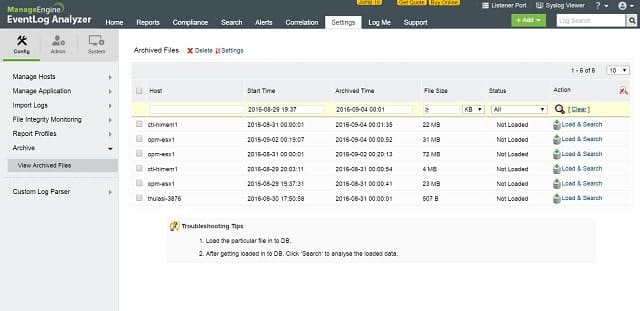
ManageEngine’s Event Log Analyser is both a HIDS and a NIDS. The log management module collects and stores Syslog and SNMP messages. Metadata about each Syslog message is also stored.
Log files are protected by both compression and encryption and access is protected by authentication. Backups can be restored automatically when the analyzer detects log file tampering.
The dashboard is customizable, and different screens and features can be allocated to different user groups. Reporting includes compliance audits for PCI DSS, FISMA, and HIPAA, among others. You can also activate system compliance alerts.
The Event Log Analyzer runs on Windows or Linux and can integrate with ManageEngine’s infrastructure management tools. It is free to monitor up to five devices, but customers with larger networks have to pay.
4. OSSEC
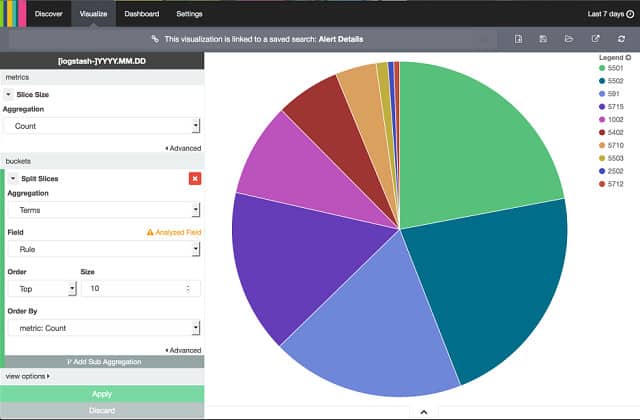
OSSEC is a free open-source HIDS produced by Trend Micro. It also includes system monitoring features that are normally attributed to NIDSs. This is a very effective processor of log file data, but it doesn’t come with a user interface. Most users put Kibana or Graylog on the front of OSSEC.
This tool will organize your log file storage and protect files from tampering. Intrusion detection is anomaly-based and is implemented through “policies.” These rule sets can be acquired for free from the user community.
The OSSEC software can be installed on Windows, Linux, Unix, or Mac OS. It monitors Windows event logs and also the registry. It will guard the root account on Linux, Unix, and Mac OS. Support is available for free from the active user community, or you can pay Trend Micro for a professional support package.
5. Sagan
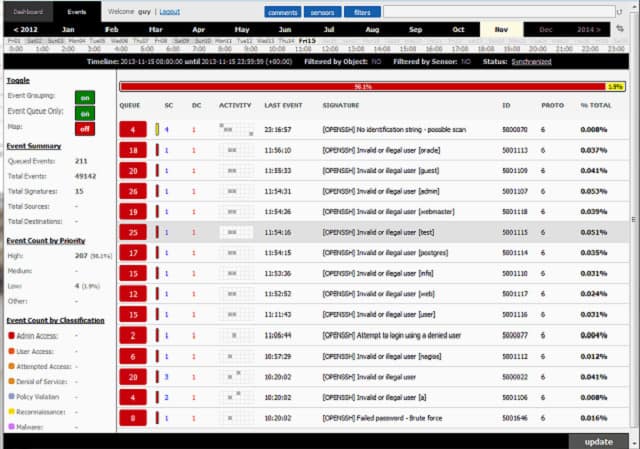
Sagan is a free HIDS that installs on Unix, Linux, and Mac OS. It is capable of collecting Windows event log messages, even though it doesn’t run on Windows. You can distribute the processing of Sagan to keep the overhead on your log server’s CPU light. The system uses both an anomaly and signature-based detection methods.
You can set actions to occur automatically when an intrusion is detected. The tool has a few unique features that some of the more prominent HIDS lack. These include an IP geolocation facility that will enable you to raise alerts when activities of different IP addresses are traced to the same geographical source. The tool also allows you to set time-related rules to trigger alerts. The system was written to be compatible with Snort, which is a network detection system, giving Saga NIDS capabilities when combined with a network data collector. Sagan includes a script execution facility that makes this an IPS.
6. Splunk
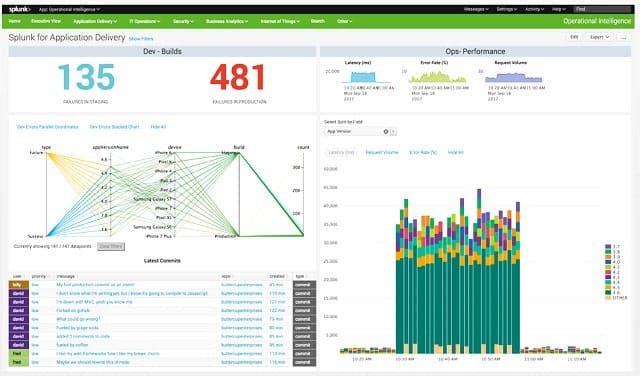
Splunk offers both HIDS and NIDS features. The base package of this tool is free to use and it doesn’t include any network-based data alerts, so it is a pure HIDS. If you are looking for an anomaly-based HIDS, this is a very good option. The top edition of Splunk is called Splunk Enterprise and there is a Software-as-a-Service (SaaS) version of this, which is called Splunk Cloud. Between the Free version and the Enterprise edition sits Splunk Light, which has some service limitations. There is also an online version of Splunk Light, called Splunk Light Cloud.
Splunk has workflow automation features that make it an intrusion prevention system. This module is called the Adaptive Operations Framework and it links automated scripts to trigger alerts. The automation of solutions to detected problems is only available with the higher-paid options of Splunk.
The dashboard of Splunk is very attractive with data visualizations such as line graphs and pie charts. The system includes a data analyzer in all of the editions of Splunk. This enables you to view records, summarize, sort, and search them, and get them represented in graphs
⚖️ Comparison: HIDS vs NIDS
| Feature | HIDS (Host-Based IDS) | NIDS (Network-Based IDS) |
|---|---|---|
| Scope | Individual device | Entire network |
| Monitoring Focus | System files, logs, processes | Network traffic |
| Detection Type | Internal threats | External & network-based attacks |
| Installation | Installed on each host | Installed at network level |
| Strength | Deep system visibility | Broad network coverage |
👉 Best Practice: Implement HIDS first to secure endpoints, then deploy NIDS for full network protection.
🔐 Security Tips for HIDS Deployment
- Install HIDS on all critical endpoints and servers
- Regularly update detection rules and signatures
- Enable real-time monitoring for immediate alerts
- Secure and encrypt log data to prevent tampering
- Combine HIDS with antivirus and firewall protection
- Monitor alerts and respond to incidents quickly
- Perform regular system audits and vulnerability checks
🧾 Final Thoughts: Complete Cybersecurity Guide
Host-Based Intrusion Detection Systems (HIDS) play a crucial role in modern cybersecurity by providing deep visibility into individual system activities. While NIDS focuses on network-wide traffic, HIDS strengthens endpoint protection by detecting threats directly at the host level.
For a complete cybersecurity strategy, both HIDS and NIDS should be implemented together. However, deploying HIDS first ensures that every system is secured before monitoring broader network traffic. This layered approach significantly improves threat detection, reduces attack risks, and builds a stronger defense against malware, insider threats, and advanced cyberattacks.
Follow Us
Stay connected with us on social media to receive updates on our latest posts.
Follow us on: Facebook | Instagram



)
)