
 admin
admin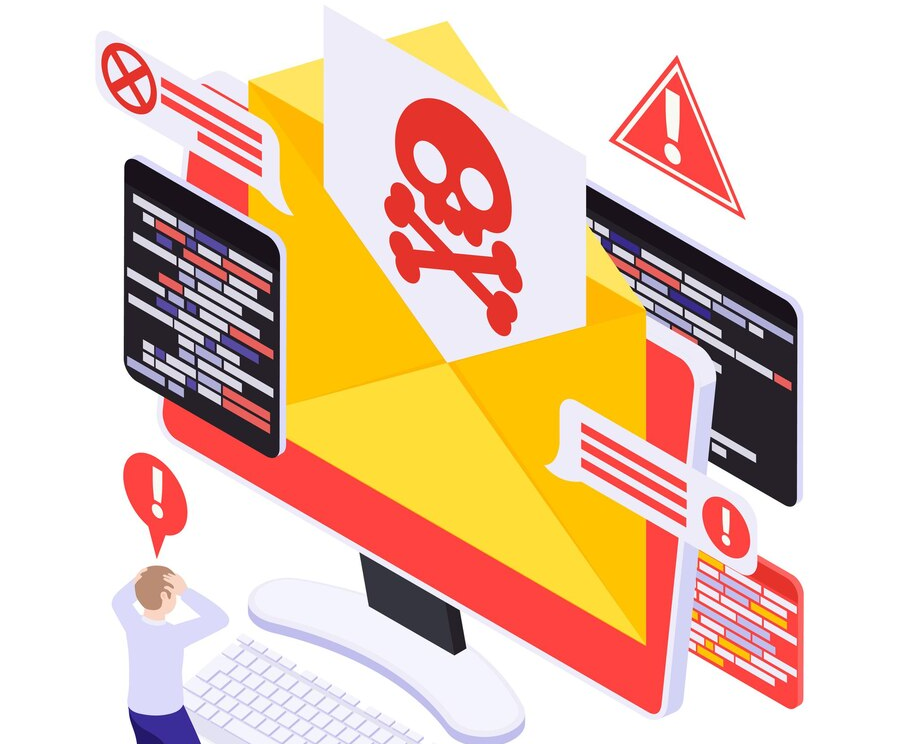
How To Know If Your Email Is Hacked
In the vast expanse of the digital world, email stands as a linchpin of communication, facilitating the exchange of information, ideas, and sensitive data. However, this very convenience makes email accounts a prime target for cyber threats. Recognizing the subtle signs of email compromise is not just a matter of personal security but a critical aspect of safeguarding sensitive information. This comprehensive guide is designed to empower you with the knowledge needed to decipher the telltale signs that your email may have fallen prey to cyber adversaries. From the anatomy of phishing attempts to the intricacies of unauthorized access, join us on this exploration as we unveil the sentinels that stand guard over your digital correspondence.
How To Know If Email Is Hacked: A Comprehensive Checklist / Signs Your Digital Correspondence May Be in Jeopardy
- Unusual Login Activity: The Footprints of Unwanted Guests
- Symptoms of Compromise:
- Unrecognized login attempts, unusual IP addresses accessing your account.
- Description:
- Anomalies in login activity, such as multiple failed login attempts or logins from unfamiliar locations, can be indicators of unauthorized access. This might suggest that someone is attempting to gain control of your email account without your knowledge.
- Symptoms of Compromise:
- Unexpected Password Changes: The Silent Intruder’s Signature
- Symptoms of Compromise:
- Notifications about password changes you did not initiate.
- Description:
- If you receive notifications about password changes that you did not initiate, it could signify that an unauthorized individual has accessed your account and changed the password to lock you out. This is a clear red flag of a potential security breach.
- Symptoms of Compromise:
- Unsolicited Email Activity: The Trojan Horse in Your Inbox
- Symptoms of Compromise:
- Outgoing emails you didn’t send, contacts reporting strange emails from your account.
- Description:
- The unauthorized sending of emails from your account is a serious sign of compromise. It could indicate that a malicious actor has gained control and is using your email to send phishing emails or spread malware. Contacts reporting strange emails should be taken as an urgent warning.
- Symptoms of Compromise:
- Missing or Deleted Emails: The Vanishing Trail of Data
- Symptoms of Compromise:
- Emails disappearing without your action.
- Description:
- If you notice emails mysteriously disappearing from your inbox or folders, it could be a sign of unauthorized access. Cybercriminals might delete emails to cover their tracks or remove evidence of their activities within your account.
- Symptoms of Compromise:
- Unexpected Email Forwarding: The Unseen Relay of Information
- Symptoms of Compromise:
- Emails being automatically forwarded without your knowledge.
- Description:
- Email forwarding rules that you didn’t set up could indicate a compromise. Cybercriminals might set up forwarding to monitor your communications or divert sensitive information to an external account.
- Symptoms of Compromise:
- Unusual Account Settings: The Altered Blueprint of Your Email Realm
- Symptoms of Compromise:
- Changes to your account settings, such as filters or rules.
- Description:
- Unauthorized changes to account settings, like the creation of new filters or rules, can be a sign that someone has gained access to manipulate your email flow. This could be an attempt to hide certain activities or control the flow of information.
- Symptoms of Compromise:
- Spam or Phishing Activities: The Sirens’ Song of Cyber Threats
- Symptoms of Compromise:
- An increase in spam emails from your account or reports of phishing attempts from your contacts.
- Description:
- Your account sending out spam or phishing emails is a clear indication of compromise. Cybercriminals often use compromised accounts to distribute malicious content, and an increase in spam activities may lead to your account being flagged or blocked.
- Symptoms of Compromise:
- Inability to Access Your Account: The Digital Lockout
- Symptoms of Compromise:
- Difficulty accessing your email account despite entering the correct credentials.
- Description:
- If you find yourself locked out of your email account, even with the correct credentials, it suggests that someone has taken control and changed your password. This is a critical situation that requires immediate action to regain control and secure your account.
- Symptoms of Compromise:
- Changes in Account Information: The Forged Identity
- Symptoms of Compromise:
- Alterations to your personal information within the account settings.
- Description:
- Unauthorized changes to personal information, such as name or recovery email, could indicate an attempt to take over your account fully. It’s a red flag signaling potential identity theft or a broader compromise.
- Symptoms of Compromise:
- Unusual Device Activity: The Intruder’s Playground
- Symptoms of Compromise:
- Devices accessing your email account that you don’t recognize.
- Description:
- Unfamiliar devices accessing your email account suggest a breach. Cybercriminals may use new devices to hide their identity or gain access to your emails from different locations.
- Symptoms of Compromise:
Conclusion: Fortifying Your Digital Correspondence
In the labyrinth of cyberspace, the sentinels of your email account stand guard against unseen threats. Recognizing the signs of compromise is not just a defensive strategy; it’s a proactive stance in the realm of digital security. Regularly audit your email account, stay informed about emerging threats, and educate yourself on safe email practices. Should you suspect a compromise, swift and decisive action is your strongest ally. Contact your email provider, change passwords, and implement additional security measures. By fortifying your digital correspondence, you not only protect your personal information but contribute to the collective defense against the ever-evolving landscape of email-based cyber threats. In this age of digital connectivity, let vigilance be your shield, and let knowledge be your sword as you navigate the intricate pathways of the email battleground.
Immediate Solutions After Detecting a Suspected Compromise on an Email Account and Connected Email Server:
- Change Passwords:
- Immediately change the password for the compromised email account. Use a strong, unique password to prevent further unauthorized access.
- Enable Two-Factor Authentication (2FA):
- Implement two-factor authentication on the email account for an added layer of security. This ensures that even if the password is compromised, an additional verification step is required for access.
- Check and Update Recovery Information:
- Review and update recovery information, such as alternate email addresses and phone numbers associated with the account. This helps in regaining control if needed.
- Review Account Activity:
- Examine recent login activity and access logs for the email account. Identify any suspicious or unauthorized access and take appropriate actions.
- Scan for Malware:
- Run a thorough antivirus and anti-malware scan on the devices connected to the email account. Remove any malicious software that could be compromising account security.
- Review Email Rules and Filters:
- Check and disable any unauthorized rules or filters that may have been set up by the attacker. These rules could be forwarding emails or performing other malicious actions.
- Inspect Sent and Deleted Items:
- Review the sent items and deleted items folders for any unusual or unauthorized emails. This can help identify if the attacker has sent emails on your behalf or deleted important correspondence.
- Alert Contacts:
- Inform your contacts about the suspected compromise and advise them to be cautious of any unexpected or suspicious emails received from your account.
- Contact Email Service Provider:
- Reach out to the email service provider’s support team to report the suspected compromise. They can provide guidance and may assist in securing the account.
- Change Email Account Security Settings:
- Adjust account security settings, such as security questions and recovery options, to enhance overall account protection.
- Monitor Account Activity:
- Set up alerts for unusual or suspicious account activity. Regularly monitor login notifications and take swift action if any unauthorized access is detected.
- Review Connected Apps and Devices:
- Check for and revoke access from any third-party apps or devices connected to the email account. Ensure that only trusted and necessary applications have access.
- Enhance Server Security:
- For a suspected compromise involving the email server, review and enhance server security measures. This includes firewall configurations, access controls, and server software updates.
- Perform Forensic Analysis:
- Engage with cybersecurity professionals to conduct a forensic analysis of the email account and server. This can help identify the extent of the compromise and potential data breaches.
- Educate Users:
- Provide education and awareness training to email account users, emphasizing the importance of recognizing phishing attempts and following secure email practices.
Cybersecurity Tips and Advice for Detecting and Responding to a Hacked Email Account
Email accounts have become the gateway to many of our digital lives. They are connected to banking services, social media accounts, cloud storage, shopping platforms, and work-related communications. Unfortunately, email accounts are among the most common targets for cybercriminals. Recognizing the signs of a compromised email account early can help prevent identity theft, financial loss, and unauthorized access to other online accounts.


Practical Scenario: Suspicious Login Activity
Suppose you notice password reset notifications for accounts you never requested to reset. Soon afterward, friends and colleagues inform you that they received strange messages from your email address containing suspicious links.
Upon reviewing your email account activity, you discover that someone from another country recently accessed your account.
This is a strong indication that your email account may have been hacked.
Common Signs That Your Email Account Has Been Hacked
📧 Emails You Didn’t Send
One of the clearest warning signs is finding messages in your Sent folder that you never created.
Hackers often use compromised accounts to:
- Spread malware.
- Send spam.
- Launch phishing attacks.
- Scam your contacts.
🔑 Password No Longer Works
If you suddenly cannot sign in using your password, someone may have changed your credentials without your knowledge.
🚨 Unexpected Password Reset Emails
Receiving password reset requests that you did not initiate could indicate that attackers are attempting to gain access to your account.
👥 Contacts Receive Strange Messages
Friends, family members, or coworkers may report receiving:
- Suspicious attachments.
- Fake invoices.
- Cryptocurrency scams.
- Phishing links.
🌍 Unrecognized Login Locations
Most email providers allow users to view recent login activity.
Be suspicious of:
- Unknown devices.
- Foreign IP addresses.
- Login attempts from unfamiliar countries.
⚠ Security Settings Have Changed
Hackers frequently modify:
- Recovery email addresses.
- Phone numbers.
- Forwarding rules.
- Two-factor authentication settings.
📂 Missing or Deleted Emails
Attackers sometimes delete messages to conceal evidence of unauthorized access.
Immediate Steps to Take If Your Email Is Hacked
🔐 Change Your Password Immediately
Create a strong password containing:
- Uppercase and lowercase letters.
- Numbers.
- Special characters.
- At least 12 characters.
Avoid reusing passwords across multiple accounts.
🛡 Enable Multi-Factor Authentication (MFA)
MFA adds an extra layer of protection, making it much harder for hackers to regain access.
📱 Review Account Recovery Settings
Verify:
- Recovery email address.
- Phone number.
- Security questions.
Remove any unauthorized changes.
🖥 Scan Devices for Malware
Use reputable antivirus or anti-malware software to detect:
- Keyloggers.
- Spyware.
- Trojans.
- Credential-stealing malware.
📧 Inform Your Contacts
Notify friends and colleagues that your account may have been compromised so they can avoid malicious messages sent from your address.
🔄 Change Passwords for Related Accounts
If your email account is connected to:
- Banking services.
- Social media accounts.
- Cloud storage.
- Online shopping platforms.
Update those passwords as well.
Additional Cybersecurity Tips
✅ Use Unique Passwords
Never use the same password for multiple accounts.
✅ Beware of Phishing Emails
Avoid clicking suspicious links or downloading unexpected attachments.
✅ Enable Login Notifications
Many email providers offer alerts whenever your account is accessed from a new device.
✅ Keep Software Updated
Regularly update:
- Browsers.
- Operating systems.
- Antivirus programs.
- Email applications.
✅ Use Password Managers
Password managers help generate and securely store strong passwords.
Useful Resources
🌐 Have I Been Pwned
Website:
Check whether your email address has been exposed in known data breaches.
🇺🇸 Cybersecurity and Infrastructure Security Agency (CISA)
Website:
Provides guidance on account security and cyber threats.
🌐 Google Account Security Checkup
Website:
https://myaccount.google.com/security-checkup
Review and strengthen your Google account security settings.
🌐 Microsoft Account Security
Website:
https://account.microsoft.com/security
Manage security settings and monitor suspicious activity.
🌐 Mozilla Monitor
Website:
Monitor email addresses for exposure in data breaches.
Final Thoughts
Email accounts serve as the foundation of our digital identities, making them prime targets for hackers and cybercriminals. Recognizing warning signs such as unusual login activity, unauthorized password changes, unexpected emails, and suspicious account behavior can help you respond quickly before significant damage occurs.
By using strong passwords, enabling multi-factor authentication, monitoring account activity, and staying alert to phishing attacks, individuals can dramatically reduce the risk of email compromise.
Cybersecurity begins with awareness. A few minutes spent reviewing your account security today can save you from identity theft, financial loss, and the stress associated with recovering a hacked email account tomorrow.
Helpful External Resources
- Have I Been Pwned — https://haveibeenpwned.com
- CISA Cybersecurity Resources — https://www.cisa.gov
- Google Account Security Checkup — https://myaccount.google.com/security-checkup
- Microsoft Security Center — https://account.microsoft.com/security
- Mozilla Monitor — https://monitor.mozilla.org
Implementing these immediate solutions is crucial for mitigating the impact of a suspected compromise on an email account and connected email server. Swift action, combined with ongoing vigilance, is key to maintaining the security of digital communication.
Follow Us
Stay connected with us on social media to receive updates on our latest posts.
Follow us on: Facebook | Instagram



)
)