
 admin
admin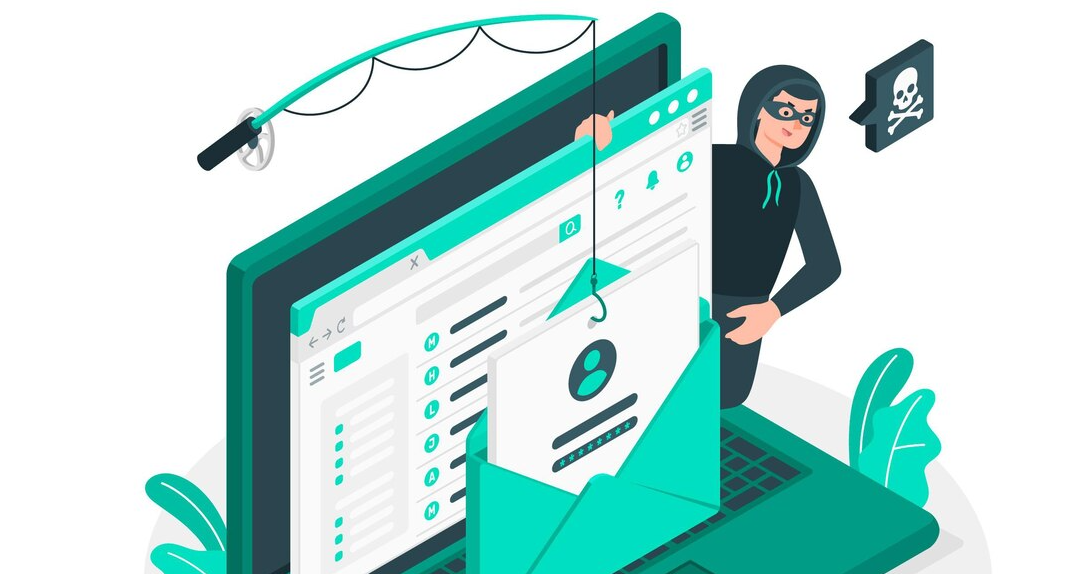
How To Recognize A Scam or Phishing Email
In the expansive realm of cyberspace, where communication thrives, a sinister undercurrent persists—scams and phishing emails. As cyber threats become increasingly sophisticated, individuals need to arm themselves with knowledge to discern the subtle yet crucial signs of deception. This comprehensive guide unravels the complexities of identifying scam emails, delving deep into the nuances of phishing attempts, and providing a robust toolkit for users to fortify their defenses against digital deception.
Section 1: Decoding the Tactics of Scam Emails
1. Generic Greetings and Urgent Tone:
- Scam emails often employ generic greetings like “Dear User” and adopt an urgent tone, creating a sense of pressure to act quickly. Legitimate communications typically address recipients by their full name and avoid unnecessary urgency.
2. Threats and Fear Tactics:
- Beware of emails threatening dire consequences such as account suspension, legal action, or loss of access. Cybercriminals use fear to manipulate users into divulging sensitive information.
3. Suspicious Sender Details:
- Scrutinize sender email addresses for irregularities. Scammers often use misspelled or slightly altered versions of legitimate addresses to deceive recipients.
Section 2: Unraveling the Intricacies of Phishing Emails
1. Brand Impersonation:
- Phishing emails often mimic trusted brands, financial institutions, or government agencies. Examine email content for inconsistencies in logos, formatting, or language.
2. Deceptive Attachments and Links:
- Avoid opening unexpected attachments or clicking on links within emails. Phishing emails frequently contain malicious payloads or redirect users to fraudulent websites.
3. Requests for Sensitive Information:
- Legitimate organizations rarely request sensitive information via email. Treat any email asking for passwords, Social Security numbers, or financial details with suspicion.
Section 3: Analyzing Visual and Content Cues
1. Grammar and Spelling Mistakes:
- Scam emails often contain grammatical errors and spelling mistakes. Legitimate communications from reputable organizations undergo thorough proofreading.
2. Generic Content:
- Phishing emails lack personalized details and often contain generic content. Legitimate communications from banks or services typically include specific information relevant to the recipient.
3. Unprofessional Design:
- Phishing emails may exhibit unprofessional design and formatting. Pay attention to inconsistent logos, mismatched colors, and an overall lack of visual polish.
Section 4: Technical Indicators for Phishing Emails
1. Hover Over Links:
- Hover over hyperlinks to reveal the actual URL. Legitimate emails from trusted sources will have links pointing to official domains, while phishing links may lead to suspicious addresses.
2. Check for Spoofed Email Addresses:
- Confirm the legitimacy of sender addresses. Scammers may use email addresses resembling official ones but with slight variations to deceive users.
3. Examine Email Headers:
- Scrutinize email headers for anomalies. Legitimate emails have consistent headers, while phishing attempts may reveal discrepancies.
Section 5: Additional Warning Signs and Advanced Phishing Tactics
1. Unexpected Password Reset Emails:
- Unsolicited password reset emails could indicate an attempt to compromise an account. Verify the legitimacy of such emails directly through the official website.
2. Prize or Lottery Notifications:
- Emails claiming unexpected winnings or prizes are often phishing attempts. Exercise caution and verify such claims through official channels.
3. Invoice and Payment Scams:
- Phishing emails may pose as invoices or payment requests. Verify such requests independently to avoid falling victim to financial scams.
Conclusion: Empowering Users Against Digital Deception
In the ever-evolving landscape of digital communication, recognizing scams and phishing emails is an essential skill. By understanding the tactics employed by cyber adversaries, users can navigate their inboxes with confidence, fostering a more secure and resilient online experience. Stay informed, stay vigilant, and empower yourself to surf the digital seas with confidence and awareness.
Safeguarding Solutions After Recognizing a Scam or Phishing Email
1. Do Not Click or Download:
- Refrain from clicking on any links or downloading attachments within the suspicious email. These could lead to malicious websites or install malware on your device.
2. Mark as Spam:
- Immediately mark the email as spam or phishing within your email client. This helps in alerting your email provider to similar threats and improves the overall security of your inbox.
3. Verify Sender Authenticity:
- Independently verify the legitimacy of the sender by contacting them through official channels. Do not use any contact information provided in the suspicious email.
4. Strengthen Passwords:
- If the email suggests a compromise to your account, change the password immediately. Use strong, unique passwords for different accounts to prevent unauthorized access.
5. Enable Two-Factor Authentication (2FA):
- Enhance your account security by enabling two-factor authentication wherever possible. This adds an extra layer of protection, even if your password is compromised.
6. Report to Authorities:
- Report phishing attempts to relevant authorities, such as the Anti-Phishing Working Group (APWG) or your country’s cybercrime reporting agencies. This contributes to the larger effort in combating cyber threats.
7. Educate and Raise Awareness:
- Share information about the phishing attempt with your colleagues and friends. Educate them about the characteristics of scam emails, promoting a collective effort to recognize and thwart phishing attacks.
8. Run Antivirus and Anti-Malware Scans:
- Conduct a thorough scan of your device using reputable antivirus and anti-malware tools. This can identify and remove any potential threats that might have been triggered by the phishing attempt.
9. Monitor Financial Accounts:
- If the phishing email implies financial transactions, closely monitor your bank and financial accounts for any unauthorized activity. Report any suspicious transactions to your financial institution.
10. Check for Identity Theft:
- If the phishing email requests sensitive personal information, be vigilant for signs of identity theft. Monitor your credit reports and report any unusual activities to credit bureaus.
11. Report to Your Organization (if applicable):
- If the phishing attempt was directed toward a work-related account, report it to your organization’s IT or security department. They can take necessary actions to protect the organization’s network.
12. Update Security Software:
- Ensure that your operating system, antivirus software, and firewall are up-to-date. Regular updates patch vulnerabilities and enhance the overall security of your device.
13. Stay Informed:
- Keep yourself informed about the latest phishing techniques and scams. Stay updated on security best practices to fortify your defenses against evolving cyber threats.
14. Use Email Filtering Services:
- Employ email filtering services that automatically detect and block phishing emails. These services can add an extra layer of protection to your inbox.
15. Report to Your Email Service Provider:
- Forward the phishing email to your email service provider’s abuse or phishing reporting address. This helps them enhance their filters and protect other users from similar threats.
By promptly implementing these safeguarding solutions, you not only protect yourself but contribute to the collective effort to thwart phishing attempts. Cybersecurity is a shared responsibility, and your proactive measures strengthen the digital defenses of the entire community.
🛡️ Prevention Methods: How to Protect Yourself from Scam and Phishing Emails
Recognizing phishing emails is only the first step. The most important part of cybersecurity is prevention—taking proactive measures to ensure scam emails never compromise your accounts, data, or systems.
Below are proven prevention methods used by cybersecurity professionals and organizations worldwide.
🔐 1. Enable Multi-Factor Authentication (MFA)
Multi-Factor Authentication adds an extra layer of security beyond passwords. Even if attackers steal your login details through phishing, they cannot access your account without a second verification step.
Benefits:
- Prevents unauthorized login attempts
- Protects against stolen credentials
- Reduces impact of phishing attacks
🔗 External Resource:
https://www.cisa.gov/mfa
📧 2. Verify Email Sender Identity Carefully
Always inspect the sender’s email address, not just the display name. Attackers often use addresses that look similar to legitimate ones.
What to check:
- Misspelled domain names
- Extra characters or numbers
- Suspicious email providers
🔗 3. Avoid Clicking Suspicious Links or Attachments
Phishing emails often contain malicious links or attachments designed to steal credentials or install malware.
Safety Tips:
- Hover over links before clicking
- Avoid downloading unknown attachments
- Do not enter credentials from email links
🔗 External Resource:
https://www.microsoft.com/security/blog/
🛡️ 4. Use Spam Filters and Email Security Tools
Modern email providers include built-in spam and phishing protection systems that automatically detect suspicious messages.
Recommended Tools:
- Google Gmail Security Filters
- Microsoft Defender for Office 365
- Proofpoint Email Protection
- Mimecast Email Security
🔒 5. Keep Software and Systems Updated
Outdated software often contains vulnerabilities that phishing attacks exploit.
Update regularly:
- Operating systems
- Web browsers
- Email applications
- Antivirus software
🔗 External Resource:
https://www.cisa.gov/cyber-hygiene-services
🧠 6. Educate Yourself and Your Team
Cybersecurity awareness is one of the strongest defenses against phishing attacks.
Training should include:
- Identifying fake emails
- Recognizing social engineering tactics
- Reporting suspicious messages
- Safe browsing habits
🔗 External Resource:
https://www.sans.org/security-awareness-training/
🚨 7. Report Suspicious Emails Immediately
If you receive a suspicious email, report it to your email provider or IT/security team.
Why it matters:
- Helps block similar attacks
- Improves organizational security
- Protects other users
📌 Final Advice
Phishing attacks continue to evolve, but most rely on human error. By combining technical defenses with user awareness, you can significantly reduce your risk of falling victim.
Golden Rule:
If an email feels urgent, suspicious, or too good to be true—verify it through official channels before taking action.
📚 Additional Resources
🔗 https://www.cisa.gov/phishing
🔗 https://www.fbi.gov/scams-and-safety/common-scams-and-crimes
🔗 https://owasp.org/www-community/attacks/Phishing
🔗 https://www.microsoft.com/en-us/security/business/security-101/what-is-phishing
Here’s a clean, professional short section you can add to your blog on How to Recognize a Scam or Phishing Email:
🚨 How to Report Phishing Emails


If you receive a suspicious or phishing email, it’s important not to ignore or delete it silently. Reporting helps email providers and cybersecurity teams block similar attacks and protect other users.
📌 Steps to Report Phishing Emails
🔹 Do not click any links or download attachments
🔹 Use your email provider’s “Report Phishing” or “Report Spam” option
🔹 Forward the email to your organization’s IT or security team (if applicable)
🔹 Delete the email after reporting
🔹 Block the sender to prevent future messages
📧 Platform-Specific Reporting
- Gmail: Click the three dots → “Report phishing”
- Outlook: Select message → “Report” → “Phishing”
- Yahoo Mail: Click “Spam” or “Report” option
🛡️ Why Reporting Matters
Reporting phishing emails helps:
- Improve spam and phishing filters
- Protect other users from similar attacks
- Support cybersecurity investigations
- Reduce future cyber threats
🔗 Helpful Resources
- https://www.cisa.gov/report-phishing
- https://www.fbi.gov/how-we-can-help-you/scams-and-safety
- https://www.microsoft.com/security/blog/
The faster you report a phishing email, the faster security systems can respond and prevent wider attacks.
🏁 Conclusion
Preventing phishing and scam emails requires a combination of awareness, caution, and security tools. By following these best practices—MFA, email verification, link caution, security updates, and continuous education—you can significantly reduce the risk of cyberattacks and protect your digital identity.
Follow Us
Stay connected with us on social media to receive updates on our latest posts.
Follow us on: Facebook | Instagram



)
)